There are So Many COMPUTER LEARNING TOPICS To Choose From
For beginners learning about computers, it’s important to start with foundational topics and gradually build up to more advanced skills. Here’s at 1TO1 Computer Lessons, I will provide you a structured learning path.
For individuals who are new to computers, learning can feel overwhelming at first. However, by starting with foundational concepts and gradually building up to more advanced skills, BEGINNERS can develop confidence and proficiency in using technology effectively. Understanding the basics of how computers work, how to navigate the operating system, and how to use essential software applications can open up a world of opportunities—whether for personal use, education, or career advancement.
A structured approach to learning ensures that students gain hands-on experience with key tools and concepts. A structured learning approach ensures that students gain hands-on experience with essential tools and concepts, including KEYBOARDING/Typing and Creating and Organizing Folders to Manage Files effectively. Microsoft POWERPOINT is an Absolute MUST for total BEGINNERS, as I will teach you how to use it to Record and Organize Important Notes for Easy Recall as a BEGINNER you will always FORGET what you had learned.
Next, is how to use the Internet Safely, communicating via Email. By mastering these Fundamental Skills, BEGINNERS can feel more comfortable and independent when using computers in their daily lives.
To help guide this learning process, here’s a well-organized lesson plan designed for your BY 1TO1ComputerLessons.com. My Step-By-Step approach will provide a solid foundation while allowing students to progress at their own pace and build confidence in their abilities.
Discover Your Potential
Many people go through life unaware of their true abilities, not because they lack talent, but because they never had the Right Guidance. Without a Skilled Trainer to nurture their skills, they miss opportunities to grow, explore, and build confidence in their abilities. A Proper Mentor Makes All The Difference—helping students Unlock their Full Potential, Master Essential Skills, and Gain the Confidence to Succeed. If you Haven’t Discovered what you’re Truly Capable of, it’s simply because you Haven’t Found the Right Trainer Yet. Let me help you Uncover your Hidden Talents and Achieve More than you Ever Imagined!
Basic Computer Concepts
- What is a Computer? – A device that processes information using hardware (physical components) and software (programs and applications).
- Hardware vs. Software – Hardware includes parts like the monitor, keyboard, and processor, while software enables tasks like web browsing and document editing.
- Types of Computers – Common types include desktops (powerful, stationary), laptops (portable), and tablets (lightweight, touch-friendly).
- Operating Systems – The main systems are Windows (user-friendly, widely used), macOS (Apple devices, secure), and Linux (flexible, for advanced users).
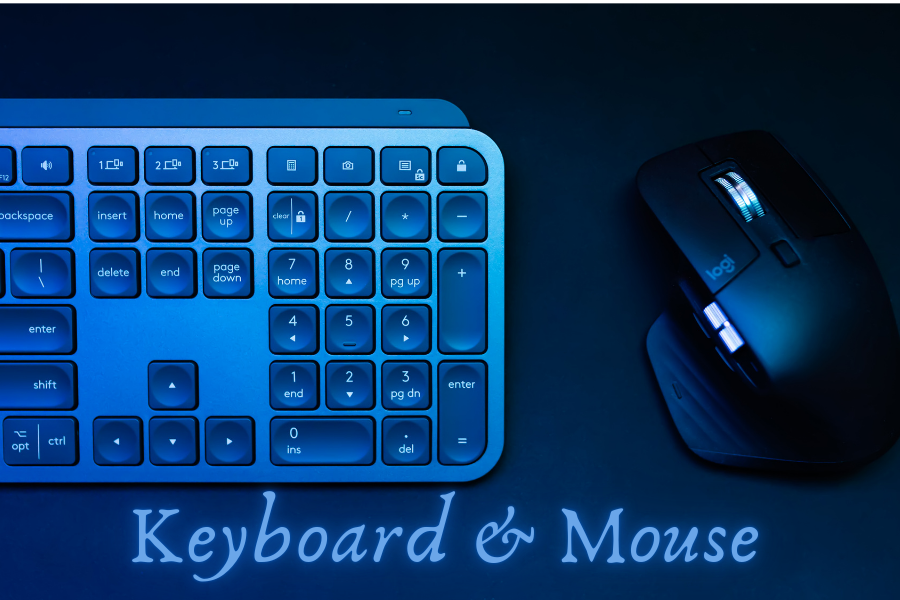
Keyboard & Mouse
- Proper Hand Placement for Typing – Learning the correct finger positioning on a keyboard improves speed and accuracy. The home row keys (ASDF JKL;) serve as the starting point for efficient typing.
- Mouse Functions – Understanding basic mouse actions like clicking, double-clicking, right-clicking for options, and dragging & dropping is essential for navigating a computer effectively.
- Common Keyboard Shortcuts – Using shortcuts like Ctrl + C (Copy), Ctrl + V (Paste), and Ctrl + X (Move) helps improve efficiency and workflow.
Talk To Me What You Want to Achieve
-
Here are 10 examples of how you as a student might reveal what you want to achieve to me. You may roughly go through the below guided questions and assessments:
1. “I want to learn how to type faster so I can complete assignments quickly.”
(This shows a need for Keyboarding and Typing practice.)
2. “I struggle with saving and finding my files. I want to be more organized.”
(This indicates a need for Folder Organization and File Management Training.)
3. “I want to create presentations that look professional for my school projects.”
(This suggests an interest in Microsoft PowerPoint and design skills.)
4. “I’ve never used a computer before. I want to start from the basics.”
(This reveals a need for Foundational of Computer Literacy Training.)
5. “I want to learn how to take notes on my computer instead of writing everything down.”
(This suggests training in Digital Note-Taking using PowerPoint, Word, or other tools.)
6. “I want to improve my skills so I can apply for an office job.”
(This shows a Career-Driven Goal and a need for Professional Software Training like Windows, PowerPoint, Word, Excel, and Email usage.)
7. “I don’t know what I need to learn, but I know I need to improve my computer skills.”
(This means you Need Guide on A General Skill Assessment to Discover your Potential Needs.)
8. “I want to be able to edit and format documents properly.”
(This shows an interest in Microsoft Word, formatting techniques, and document handling.)
9. “I need to learn how to use the internet to research and find information for my studies.”
(This suggests training in Internet Browsing, Search Techniques, and Online Safety.)
10. “I want to learn how to use email to communicate professionally.”
(This shows a need for training in email Writing, Attachments, and perhaps Google Drive or Microsoft One Drive.)
Each of these examples reveals a student’s learning goal, helping you to meet your needs effectively.